Packages: putting together a discounted offer
Képesbolt is constantly evolving, so you may see new settings in the interface that are not yet shown in this video or the images.
Last updated:
Video coming soon
A package lets you offer several products for one price. For example: 2 × 13×18 prints plus all photos in digital form. Your customers find it easier to decide, and your average order value goes up.
Where to find it: Packages → Product packages
Step by step
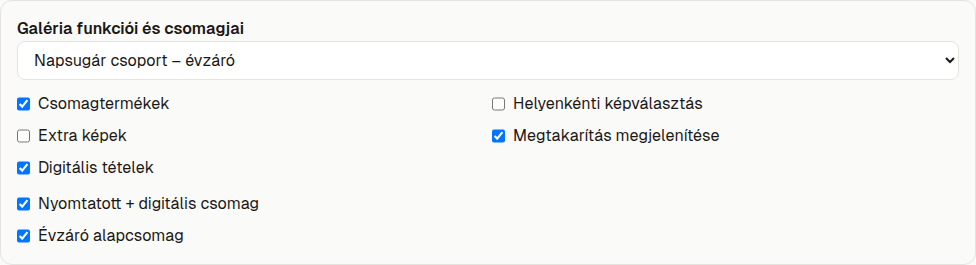
- Turn on the feature. Under Account features, and then under Gallery features and packages for the selected gallery, switch on what you need. These are off by default and apply separately to the account and to each gallery.
- Click New package.
- Enter the package Name and Package price (HUF), and choose how the customer selects photos.
- Use Add slot to add products. For each one, set the quantity and, if the product has variants (e.g. size), the Variation too.
- Click Save.
- In the Select a gallery list, pick the gallery and tick the box next to the package name to assign it.
- Check that the package is Active.
Edit creates a new version of the package. The previous version isn't overwritten, so orders that were already placed stay unchanged.

Feature switches
| Switch | What it does |
|---|---|
| Packages | Turns packages on. Without it, there are no packages. |
| Per-slot image selection | Lets the customer choose a different photo for each slot. |
| Extra images | Lets the customer choose additional photos in eligible packages. |
| Show savings | Shows how much the customer saves, when this can be calculated. |
| Digital items | Lets you include digital photos in a package. |
Package editor fields
| Field | Default | What to watch out for |
|---|---|---|
| Name | empty | Up to 200 characters. Choose a name that tells the customer what they get. |
| Package price (HUF) | 0 | Whole forints, can't be negative. |
| Image selection | One image, optional extra-image charge | The other option is Image per slot. In that case the extra image charge is 0 Ft and can't be changed. |
| Min. distinct images / Max. distinct images | 1 and 1 | Between 1 and 100. The minimum can't be higher than the maximum. |
| Extra image charge (HUF) | 0 | Single-image mode only. Set it if you charge extra for additional photos. |
| Product and Variation | – | The list contains the products in your account. |
| Quantity | 1 | Between 1 and 100. |
| Digital images | – | Digital products only: Selected image or All eligible images. |
| Digital image scope | Entire gallery | Only with "all eligible images". Other options: One person's individual photos, Selected people and their shared photos. |
| Digital image source | Separately selected image | You can link it to another slot, so the customer receives the same photo digitally that they chose as a print. If you want to delete the source slot, remove the link first. |
Bulk editing with CSV
In the CSV section you can export and import packages. Always check the Preview before importing. Changing an existing package creates a new version.