Paperless kindergarten photo orders, step by step
A password-protected gallery per group, a link for the contact person, an order deadline, per-photo notes and lab export: how kindergarten photo orders work without paper and envelopes.
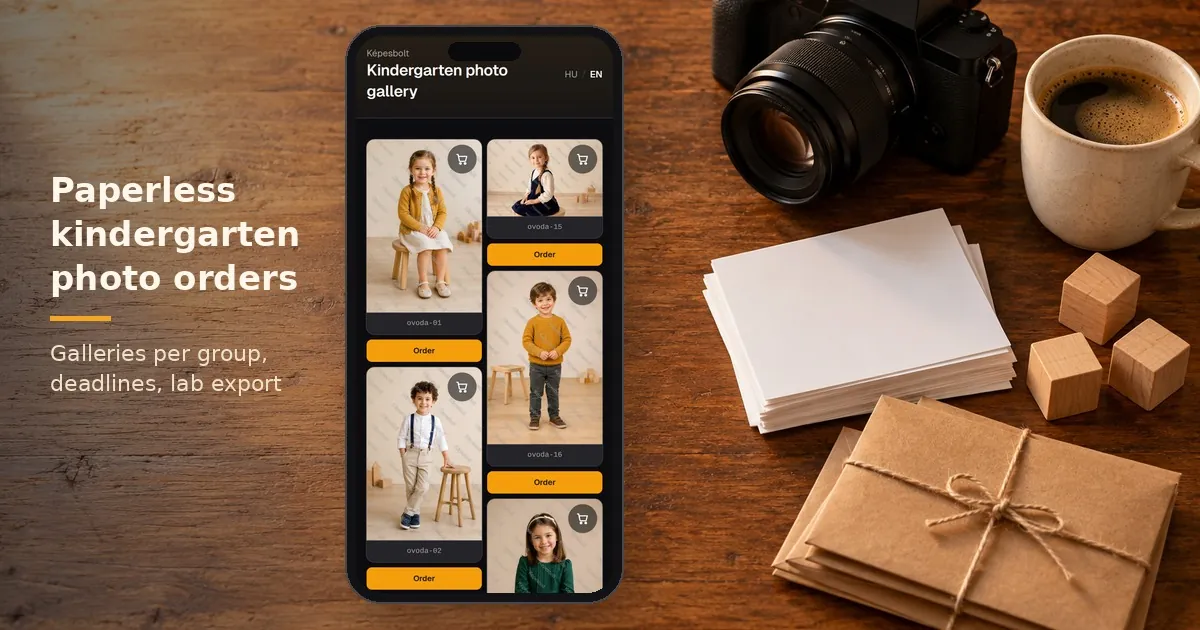
Kindergarten photo orders used to run on paper: order forms, envelopes, loose change, and a teacher adding up quantities in the evening. Online, the same job is shorter and leaves less room for mistakes. This guide walks through kindergarten photo ordering in Képesbolt, from upload to print.
Kindergarten photo orders: what changes compared with paper?
Paper orders tend to go wrong in three places. A parent writes down the wrong image number. The envelope holds the wrong amount of money. And someone has to add everything up by hand, late in the day.
Online, the family chooses the photo, the product and the quantity themselves. The order reaches you in one place, in a readable form. If you offer online payment, the kindergarten does not have to collect money. You still organise production and hand-over, as before.
A separate, password-protected gallery for each group
It is worth putting each kindergarten group into its own gallery: Ladybirds, Bears, Hedgehogs. You can arrange these galleries into one gallery group under the kindergarten's name, which also makes orders easier to filter.
You upload the photos in the browser. On the Pro plan you can also connect your own Google Drive folder and import from there.
Access is set per gallery:
- password, shared with the parents of the group,
- email sign-in, if you want that on top of the password,
- viewing period, so the gallery does not stay open for months,
- search engine exclusion, so Google does not find it.
Worth knowing: the password belongs to the gallery, not to one child. Every parent in the group sees the same gallery. Search engine exclusion only instructs search engines and does not replace a password.
If the gallery has many photos, you can also build image groups by hand, each with a cover image. Parents can then jump straight to their own child's photos. An image group is a navigation aid and does not lock the other photos.
A link for the contact person, parents order without registering
When the gallery is ready, send the link and the password to the kindergarten's contact person. They pass it on to parents the usual way, in a closed message or on the notice board. Agree in advance with the kindergarten how the link is shared.
Parents do not need to create an account or download an app. The gallery opens on a phone too, and an email address is enough to order.
The customer gallery shows watermarked previews. This is not full copy protection, since a screen can always be photographed. The print or the digital file, however, only reaches the family through an order.
An order deadline, so the lab gets everything on time
For kindergarten photo orders, the deadline is the most important setting. On the Pro plan you set it per gallery. After the deadline no new orders can be placed, so you can send the whole group to the lab at once.
You also decide what happens to the gallery after the deadline: hide it, or keep it view-only. How the deadline is displayed can be set separately.
On the Pro plan you can also switch on one or two gallery reminders. These go to parents who opened the gallery but have not ordered yet. You can time them after the visit or before the deadline. Reminders are off by default, and no more emails go out after an order or an unsubscribe.
A note on each photo: parents write their request right there
Parents choose the product next to the photo: a print, a digital file or a photo gift. They can order several products from the same photo.
They can also add a note to each photo. This is where they ask for an extra copy for grandma, or for the picture in black and white. You do not have to collect these requests from separate messages.
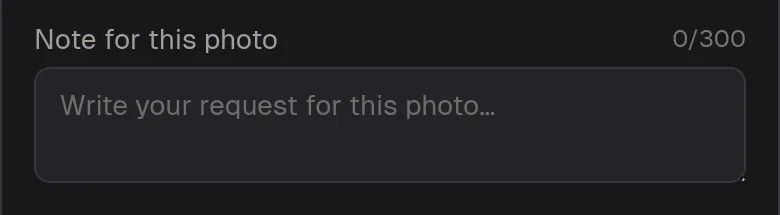
At the top of the product picker, parents can add a note of up to 300 characters to the photo.
Parents receive an email confirmation of their order. You see the order in your photographer dashboard, with its items and payment status.
Ready for print: lab export and order folders
After the deadline, filter the order list by gallery or group. In the printable view you can check the items before anything goes to the lab.
With lab export you put the photos of the selected orders into a production package. If you use Google Drive on the Pro plan, ordered photos are copied into order folders, sorted by order number.
Képesbolt is not a photo lab. You print with your own lab. Packaging, delivery and hand-over are part of your own service. If the kindergarten helps with distribution, agree on it with them in advance.
A short checklist after the kindergarten shoot
- Agree with the kindergarten on the information for parents, sharing the link, payment and collecting the prints.
- Upload the photos and create one gallery per group under a gallery group.
- Set the password, the products, the deadline and, if needed, the reminder.
- Check the gallery as a customer, then send the link to the contact person.
- After the deadline, review the orders and create the lab export.
If you just want to look around first, the kindergarten demo lets you click through what parents see, from the gallery to checkout. The demo does not create a real order. More on school and kindergarten work is on the school photographers page.
Frequently asked questions about kindergarten photo orders
Do parents need to register? No. They order without an account; an email address is enough. If you set a gallery password, they need to enter it.
Do parents only see their own child? No. The gallery password covers the whole group, and image groups only help with finding photos. If that does not suit you, create smaller galleries.
What happens after the deadline? No new orders can be placed. Depending on your setting, the gallery is hidden or stays view-only.
Who prints the photos? You do, with your own lab. Képesbolt collects the orders and prepares them for production.
Can I try it? Yes. After registering and confirming your email, a 7-day Pro trial starts without a bank card.